
events · Published 10 November 2026 · 3 min read · Darius Setsoafia
What Should Be on an Event Videography Shot List?
Build your event videography shot list from the running order. For each moment that happens once, give the crew a ready time, a room, the picture and sound you need, an owner and a fallback.
Start with the running order and work backwards
Write the finished outputs at the top of the sheet, including who will watch each one, the format and the delivery date. A ticket launch film needs evidence of what someone gets from attending. A sponsor edit might need a particular demonstration and a short quote. Put those requirements into the shooting schedule while they can still be planned. Event filming brief example from London Filmed
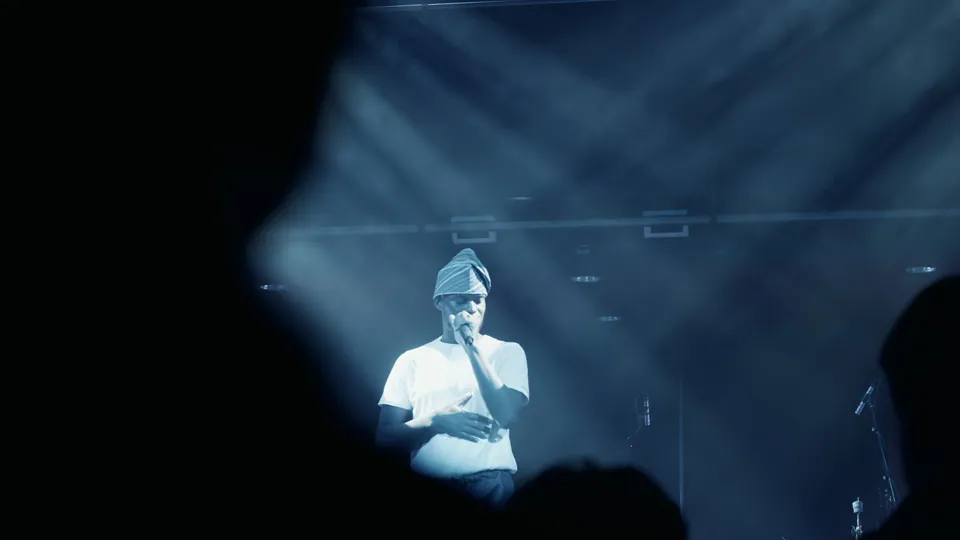
Start with the things you get one chance to film. Then add the scenes that give those moments context, such as arrivals, venue signs and conversations during a break. Give each must-capture shot a ready time, so the crew knows when to be in position. A presentation marked 18:40 leaves out the time needed to get in, connect sound and confirm where the speaker will stand.
Copy this template into your planning sheet
Ready by [time] · [room] · [must / supporting / if time]
Moment and cue [who says or does what]. Picture [what must be visible]. Sound [what needs to be heard]. Owner [crew role]. If it moves or clashes [fallback and person to contact].
Here’s a worked example for an illustrative launch. Swap in your programme and name the people responsible.
- 17:20 · Entrance · Supporting. Film the sign, guests arriving and a few greetings. The roaming camera gets room sound. If arrivals run early, ask the host to flag the next group and capture the empty entrance later.
- 18:30 · Main stage · Must. Be ready for the 18:40 announcement. Stay on the presenter until the line is complete. Agree the speech feed and a backup with AV during setup. A second camera covers the audience if you need the reaction as it happens.
- 18:55 · Quiet room · Must for the sponsor edit. Have the organiser bring the named guest at 19:00. The interview operator records one self-contained answer about the launch. If the stage runs late, move the guest to the agreed break.
- 19:20 · Reception · Supporting. Get the demonstration, people trying it and any agreed sponsor branding. If time runs short, get the demonstration first and use reception footage already captured for context.
Fix the clashes while they’re still on paper
Imagine the sponsor guest can only speak at 18:40, when the reveal is on stage. With one camera operator, protect the moment that can’t move. Ask the host to find another interview slot or agree a second operator before the day. If the stage camera has to stay on the speaker, plan an extra angle for the room’s reaction or agree what you’ll use in the edit instead.
RBN Live’s launch film works as an example because it shows the presentation and how people responded. Watching it helps make the shot-list choice concrete. If your reveal needs both perspectives, write both down and agree how to cover them. Watch the RBN Live launch film · How to decide how many cameras you need
Send the crew one version they can work from
- Attach the latest running order and a venue map. Name the event lead who will confirm changes and the AV contact who can test the sound feed before doors open.
- Mark restrictions next to the relevant shots. Include private slides, restricted areas, people to avoid filming and anything that can only be shared after a stated time. Filming permissions for organisers
- Name the versions and approvals. If one shot has to work vertically as well as in the main film, say so on the row. Tell the team who checks names, sponsor branding and the first cut. Choosing a length for your event highlight
If you only have five minutes to brief the crew, send the running order with your three must-capture moments, the sound they need and the name of the person who can update the schedule. Plan your event coverage
Written by
Darius Setsoafia
Darius is the founder of DS Media — a Newcastle-based video production company specialising in corporate films, conference coverage, and event documentation across the North East and beyond. He has spent over six years working with brands, venues, and organisations to document stories worth sharing.
About Darius →