
corporate · Published 5 November 2026 · Updated 5 November 2026 · 4 min read · Darius Setsoafia
How Do You Give Useful Feedback on a Brand Film Edit?
Watch the film against the audience and purpose you agreed. Then send one set of comments with the version, timing and reason for each change. Check the story first, followed by factual details, sound, captions and the next step.
Watch it as the person you want to reach
The first watch can feel strange when it’s your business on screen. You know everyone in it. You remember what happened on the filming day. You’ll notice things a new customer has no reason to notice.
I’d come back to the same question I use when planning content. Does this help the person we’re trying to reach? Write down what that person should understand after watching, then watch the film all the way through before pausing to make notes.
For a brand film, I want the reason behind the business to come through. If that gets lost, say where you stopped following the story or what you still wanted to know. That gives the editor a starting point for the next cut.
It also helps you decide whether a missing detail belongs in this film. A service might need its own explanation. Our guide to making separate brand and service videos can help with that decision. Can one brand film explain every service?
Explain what the feeling means in your business
In a business visit I described during a planning conversation, a café had come to me wanting cool videos. What stood out to me was the warmth, the people, the laughter and the attention to detail. I described the feeling as almost like a warm hug. That was my observation of the business and a possible direction for filming.
That’s the sort of detail I’d want to hear when discussing an edit. If a film feels too formal, which part of the real business is missing? Perhaps the team speak naturally with customers, but the cut mainly shows empty rooms. Naming that gap is more useful than asking for the whole thing to feel better.
You can describe a concern without knowing how to fix it. Tell the editor what feels wrong for your audience, then ask what the available footage could do differently. If the right moment wasn’t filmed, discuss whether a different edit can convey it or whether you need another shot.
Put each comment beside the moment it concerns
Include the version you watched and the time shown in the player. For something that runs across a scene, give a start and end time. Explain the issue and what you want the viewer to understand.
These are examples of how to write a note, using invented timings and situations.
| What needs attention | A useful review comment |
|---|---|
| The introduction feels slow | At 00:00 to 00:18 in version 1, we see the building but haven’t met anyone. Could we meet the owner earlier so viewers hear why the business exists? |
| A job title is wrong | At 00:32 in version 1, change the title to Operations Manager. I’ve checked the wording with the person shown. |
| The music makes speech difficult to follow | At 00:45 to 00:53 in version 1, I’m struggling to hear the answer. Could you check the balance between the voice and music? |
| The ending leaves the next step unclear | At 01:20 in version 1, could the final screen direct viewers to the agreed enquiry page? I’ve included the correct address below. |
A review tool can attach a comment to the relevant frame or time range. Frame.io documents both options. The same timing and explanation can go in a shared document if that’s the route you’ve agreed with your editor. Frame.io guidance on commenting on video
Agree the team’s answer before sending the notes
Ask the people responsible for the message, factual details and final approval to review the same version. Collect their comments in one place. If one person wants a scene removed and another wants more of it, resolve that within the team or flag it as a question for discussion.
Keep a note of what already works, too. If an answer sounds natural and explains the business well, say so. That helps the editor retain the parts you value while making the requested changes.
Check your proposal for the agreed revision rounds. An adjustment to an existing scene and a request for a newly filmed interview need different conversations about the work and schedule. Our production process guide explains where reviews fit between filming and delivery. The video production process
Check the revised film before approving it
Watch the complete revised version. Check that the changes still work with the surrounding scenes, then confirm names, job titles, contact details and any factual claims with the people who own that information.
Read the captions while listening. Check names and specialist terms, whether the text follows the speech, and whether important sounds needed to understand the scene are represented. W3C explains that captions include speech and relevant sound information, and that automatic captions need to be checked for accuracy. W3C guidance on captions
Make the final approval specific to the version and the outputs you’ve checked. If a separate short edit or vertical version is also being supplied, review that version as well.
For teams commissioning a bespoke brand film in Newcastle or the North East, DS Media agrees the review contacts, revision rounds and deliverables as part of the brief. Bring the audience you need to reach and the message they need to understand to the first conversation. DS Media corporate video production
Written by
Darius Setsoafia
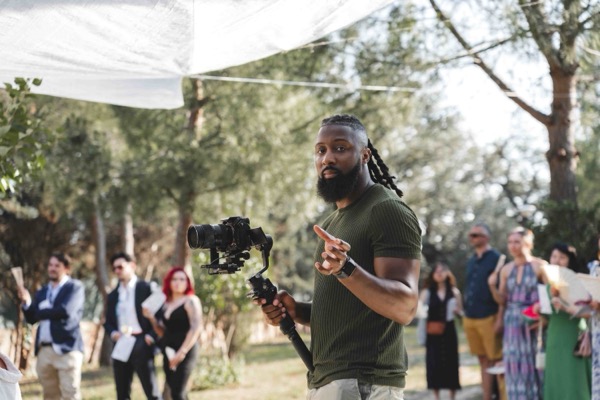
Darius is the founder of DS Media — a Newcastle-based video production company specialising in corporate films, conference coverage, and event documentation across the North East and beyond. He has spent over six years working with brands, venues, and organisations to document stories worth sharing.
About Darius →